 Long ChatGPT Conversations
ChatGPT Outline Extensions Compared
There are several Chrome extensions that help with long ChatGPT chats. This page compares the options by the things that matter for a 300+ message conversation.
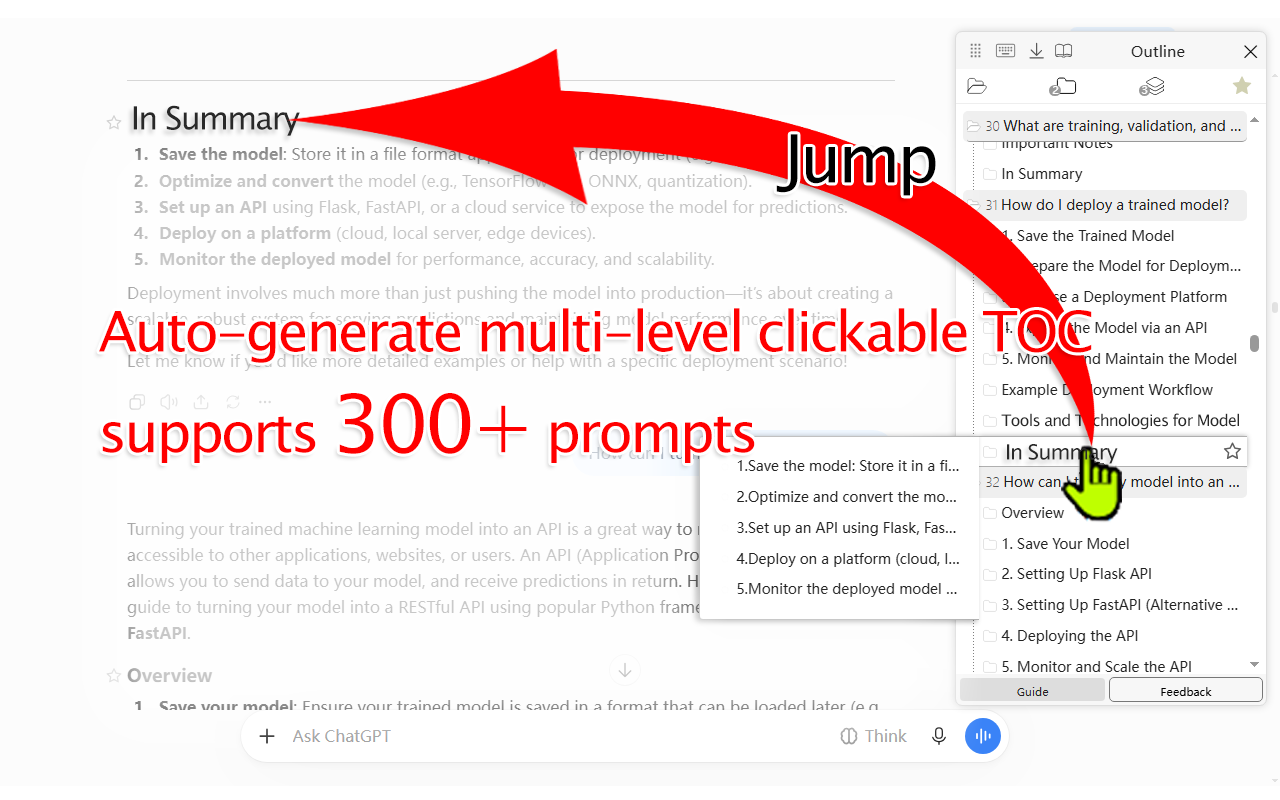
Why it works for long chats
Why ChatGPT focus matters
ChatGPT changes its page structure often. An extension that focuses on ChatGPT tends to keep navigation working through those changes.
Free vs paid
A free, local-only build covers outline, navigation, local bookmarks and basic export. Paid releases add cloud sync, tags and more formats.
What to check before installing
Look for local-only storage if privacy matters, and check whether export formats you need are included.
| Extension | Free option | Open source | Outline / tree | Bookmarks | Export |
|---|---|---|---|---|---|
| Long ChatGPT Conversations | Yes (open-source edition) | Yes (MIT) | Yes | Yes | Markdown, PDF, HTML, JSON, EPUB |
| Superpower ChatGPT | Freemium | No | Partial | Yes | Partial |
| ChatGPT Toolbox | Paid | No | Partial | Yes | Yes |
| Other outline extensions | Varies | Some | Varies | Varies | Varies |
FAQ
What is the best free ChatGPT outline extension?
For a free, no-account option, Long ChatGPT Conversations has an MIT-licensed open-source build with outline, navigation, local bookmarks and PDF/Markdown export.
Is Superpower ChatGPT the same thing?
No. Superpower ChatGPT focuses on folders, prompt libraries and chat management; Long ChatGPT Conversations focuses on outlining and navigating a single long conversation.
Can I switch from another extension?
Yes. Install the new extension, and keep your ChatGPT conversation as-is — the outline is generated from the page.
Which option is best for privacy?
A local-only, open-source build makes no network requests. Check the source if this matters to you.
Turn your long ChatGPT chat into a clickable outline
Try the free open-source edition, or get cloud sync, tags and more export formats in the official release.