 Long ChatGPT Conversations
Open-Source ChatGPT Outline Extension
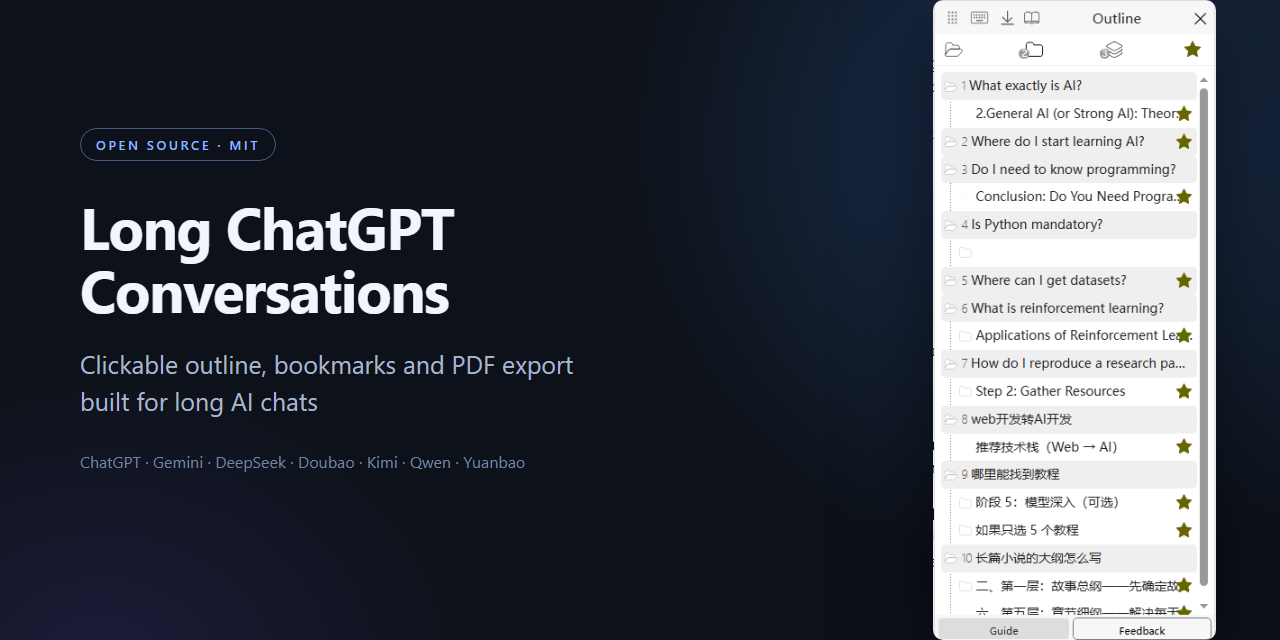
If you want a ChatGPT outline without an account or a server, this is it. The open-source edition keeps the outline, navigation, local bookmarks and export — and removes everything that needs a backend.
How it works
Open GitHub
Go to github.com/892462856/long-chatgpt-conversations.
Load unpacked
Download the repo, open chrome://extensions, enable Developer mode and load the folder.
Or use the store
If you want cloud sync and more formats, install the official release.
Why it works for long chats
No backend, no account, no tracking
All state is stored in chrome.storage.local. The extension makes no network requests: the only fetch calls load its own packaged HTML files.
MIT licensed
Read, audit, fork and build it yourself. The source is on GitHub.
Clear trade-offs
Cloud bookmark sync, tags and some export formats belong to the official release. The open-source build focuses on features that run entirely in your browser.
| Feature | Open-source edition | Official release |
|---|---|---|
| Outline tree + navigation | Yes | Yes |
| Local bookmarks | Yes | Yes |
| Cloud sync and tags | No | Yes |
| Export formats | PDF, Markdown | PDF, Markdown, HTML, JSON, EPUB |
| Backend / account | None | Optional account for sync |
FAQ
Is there a free ChatGPT outline extension?
Yes. This open-source edition is free, MIT-licensed, and runs entirely in your browser.
Does the free version need an account?
No. There is no account or sign-in.
What is missing from the open-source build?
Cloud bookmark sync, tags, and HTML/JSON/EPUB export are in the official release. The outline, navigation, local bookmarks and PDF/Markdown export are in the open-source build.
Where is the source code?
github.com/892462856/long-chatgpt-conversations
Turn your long ChatGPT chat into a clickable outline
Try the free open-source edition, or get cloud sync, tags and more export formats in the official release.