 Long ChatGPT Conversations
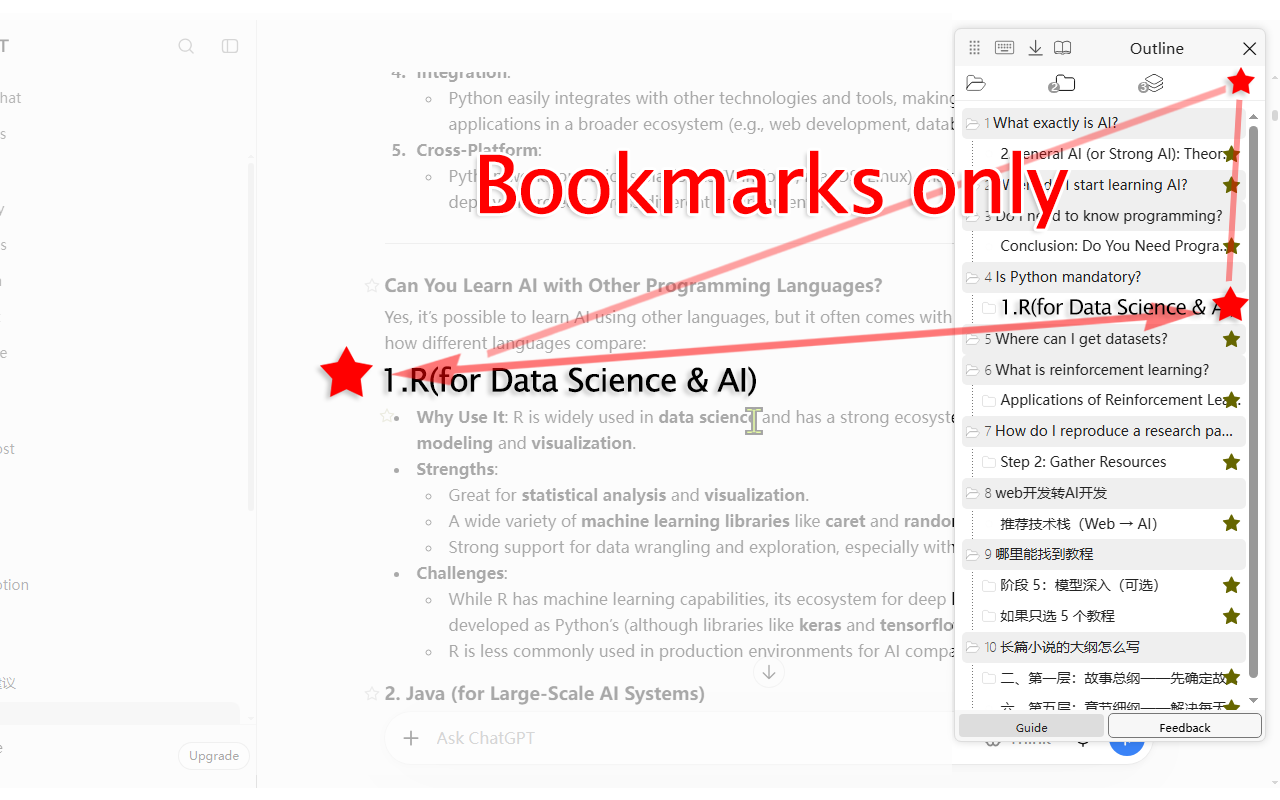
Bookmark the node, not the text
A bookmark points to a message in place, so later replies do not break the context. Clicking it jumps back to the original answer.
Tags make a long list usable
If you save many answers, tags turn a flat list into something searchable. The bookmark manager lets you filter by tag and platform.
Local or synced
The open-source edition stores bookmarks locally in chrome.storage.local. The official release can sync them to your account across devices.
How to do it
- Star an answer: Click the star next to the outline node.
- Add a tag: Right-click the star to bookmark with a tag.
- Filter to bookmarks: Toggle the star filter in the panel header to see only saved messages.
FAQ
How do I bookmark a message in ChatGPT?
Click the star next to an outline node. Right-click the star to bookmark with a tag.
Do bookmarks survive after closing the chat?
Yes. Local bookmarks persist in the browser profile; the official release can sync them to your account.
Can I see only bookmarked messages?
Yes — toggle the star filter in the panel header.